
Hamilton County Traffic Warrant Routing
A traffic citation can lead to court action when payment or an appearance is missed, but the deadline and consequences depend on the issuing court. Hamilton County does not publish a single traffic-warrant search or a countywide schedule for issuance. The ticket identifies the starting court: Hamilton Municipal Court for city citations, or JP Precinct 1 for justice-court citations. Each court keeps its own cases and payment route.
Paying a citation through an unrelated court does not settle the case. If a ticket is lost, use the issuing court printed on the notice or contact the clerk with the person’s identifying details and any citation number.
Hamilton County Has Separate Traffic Courts
Hamilton Municipal Court handles Class C, traffic, and city-ordinance matters within Hamilton. JP Precinct 1 has separate justice-court jurisdiction. The County Clerk handles County Court criminal records and appeals from Class C cases, while the District Clerk maintains district judicial records. These are different routes, not one combined traffic counter.
Hamilton Municipal Court is at 200 E Main Street and lists lobby hours Monday through Friday, 7:30 a.m. to 4:30 p.m. Its published phone is (254) 386-8116, extension 3. JP1 is at 102 N Rice, Suite 115, and lists (254) 386-1221. Confirm the correct office from the citation before sending money or appearing.
How to Check Hamilton County Traffic Warrants
Start with the issuing court’s own case information. Hamilton County has no public sheriff warrant lookup. The County Clerk links a Tyler case-search tool for County Court records, but the office says it does not search for members of the public. The JP1 payment link is separate from any warrant confirmation, and its payment portal’s exact search fields were not verified.
Use the official County Clerk or District Clerk pages only for their respective records; JP1’s linked portal is for payments.
- Read the ticket to identify Hamilton city or JP1.
- Use that court’s official case or payment route.
- Call the named clerk if the record is unclear.
- Ask about an appearance or legal advice before resolving it.
Hamilton County White and Blue Citation Forms
Hamilton’s court instructions distinguish a white city-court citation form from a blue Justice Court form. That small visual clue can help someone who is unsure which court issued a paper. The city form routes to Municipal Court; the blue form points toward justice court. If the form is missing or color cannot be determined, call the court using the citation details rather than guessing.
Hamilton’s official right-court instructions explain the form distinction.
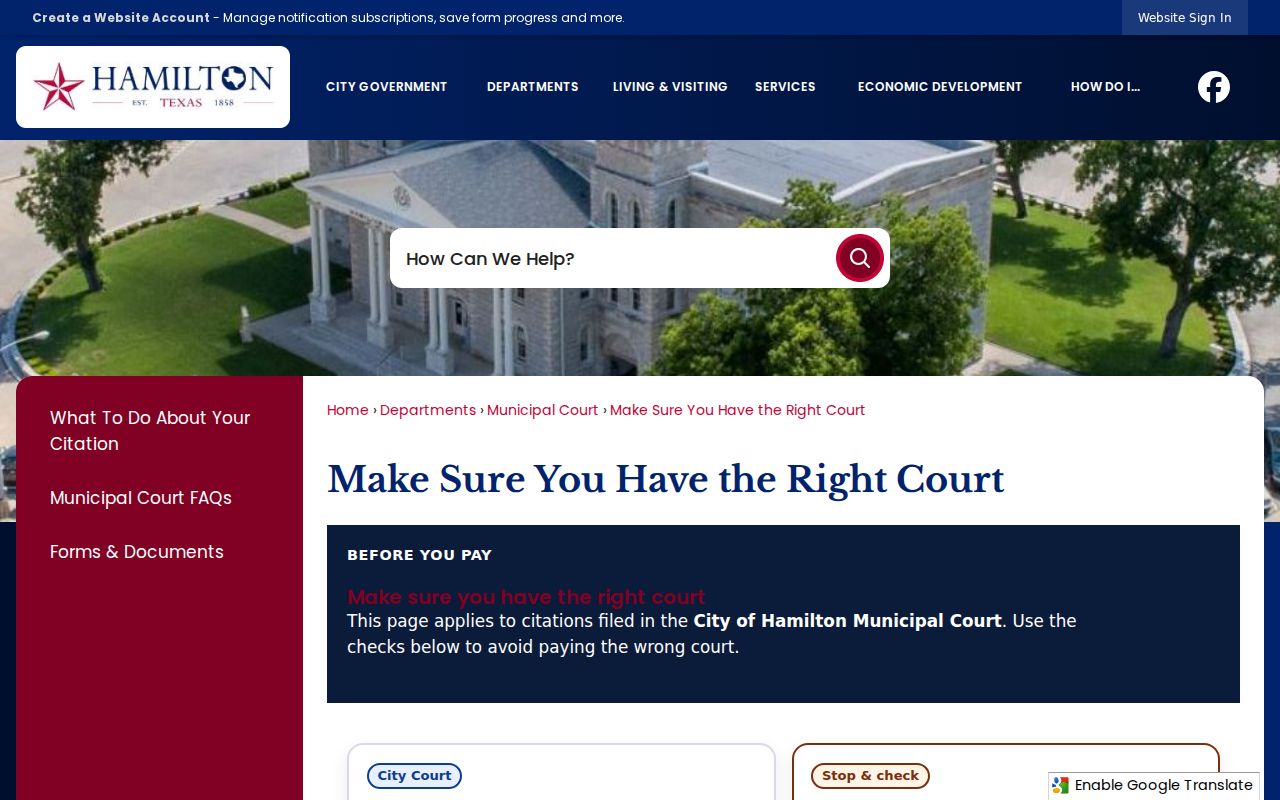
The form helps route a citation; it does not report warrant status.
Hamilton County Traffic Warrant Record Clues
The local public sources do not define a warrant-number pattern, standard traffic entry, or active-status field. A citation number is useful for finding the underlying case, but it is not proof that a warrant has issued or remains open. Verify the court name, offense, amount due, and latest court action with the clerk before deciding what to do.
| Citation number | Use the number printed on the ticket; no warrant format was published. |
|---|---|
| Charge | Read the actual citation or court case record. |
| Issuing court | Distinguish city Municipal Court from JP Precinct 1. |
| Balance or bond | Ask the court for case-specific terms before payment. |
| Current status | Request confirmation from the issuing court. |
Hamilton City Ticket Payments Stay Local
Hamilton Municipal Court accepts payment only for Hamilton city citations. Its online payment instructions explain that an online payment generally means a guilty or no-contest plea and may result in a conviction being reported. A person who wants to ask about another option should contact the court before paying. The listed payment route is not a public warrant search.
Hamilton Municipal Court’s official page provides contact details and its payment notice.
Use the city court only for its own citations; ask about options first.
Resolving a Hamilton County Traffic Warrant
Ask the issuing court what actions are available for the specific citation. Payment, a scheduled appearance, or another court-approved step may be possible, but the public sources do not establish a universal process or guarantee automatic recall. Request confirmation that the court has entered the resolution and ask whether any separate report must be sent to the state.
- Confirm the court and current case information.
- Ask about plea choices, payment, or an appearance.
- Keep receipts and any signed court order.
- Ask when the docket and any state report update.
Warning: Do not treat a payment screen as confirmation that a warrant was recalled; verify the court’s record after the case action.
Hamilton County Traffic Warrants and DPS Holds
A court warrant, a failure-to-appear event, and a driver-license reporting hold are related but distinct. Texas DPS’s FTA/FTP program concerns certain reported citation issues. DPS says its license staff do not have warrant information, and its FAQ notes that citation clearance can take up to seven business days after payment. That delay is about the DPS citation record, not a finding that a warrant has been recalled.
Contact the court that reported the ticket for case status and reporting questions. OmniBase’s number is 1-800-686-0570 for the license-renewal channel; it cannot replace direct court confirmation.
Hamilton County Citation and License Status
One citation can create separate court and license consequences. A warrant concerns judicial process; a reported FTA/FTP issue can affect license renewal; and the underlying ticket still belongs to its court. Clearing one channel does not automatically prove the others are resolved. Ask the court which status it can confirm and whether it has sent a change to DPS or OmniBase.
| Mechanism | What Triggers It | What It Does |
|---|---|---|
| Court warrant | Court order tied to the case | Requires confirmation and action through the issuing court |
| FTA/FTP reporting | Qualifying citation issue reported to DPS | Can affect driver-license renewal process |
| Underlying citation | Traffic or local offense ticket | Remains with the city or JP court named |
Hamilton County Traffic Records Need Follow-Up
After a ticket is addressed, retain the citation, any receipt, and the court’s confirmation. If a state license issue was involved, ask whether the reporting court submitted a clearance and when. A name disappearing from a payment screen does not establish the final court disposition or prove that separate process has ended.
If the ticket came from outside Hamilton city limits, confirm whether JP Precinct 1 or another jurisdiction issued it. The visible address or payment logo alone may not identify the court that controls the case.